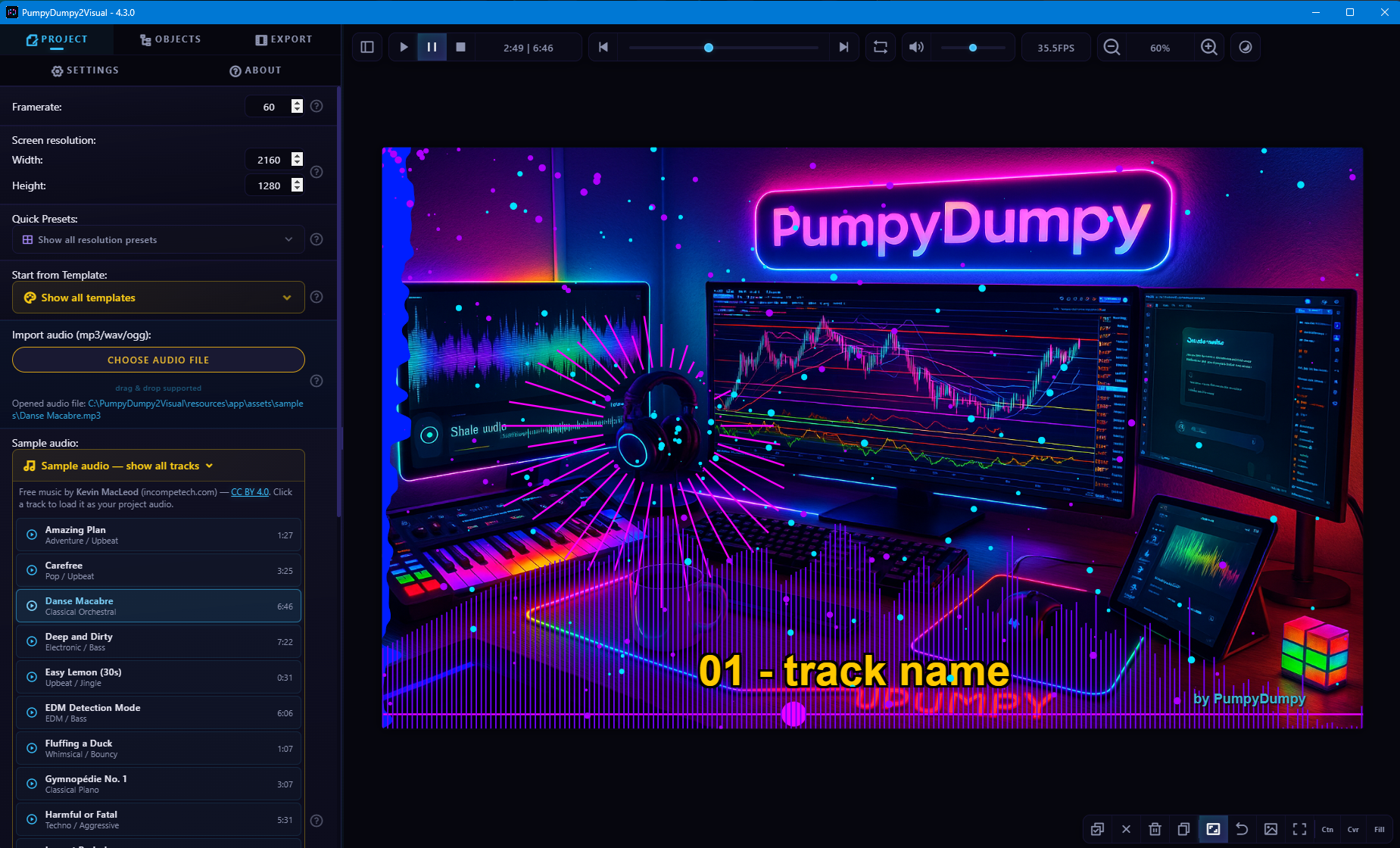
Creative Audio Visualization Studio

Your Music.
Now Visual.

Turn any track into a professional music visualization video in minutes. 60+ reactive objects. 120+ templates. 21 audio effects. Live mic input. One-click export for every platform.

60+ Visual Objects
120+ Templates
21+ Audio Effects
19 Sample Tracks
8K Max Resolution
Store Certified
Windows 10 / 11
100% Safe & Offline
Electron Powered by Electron
AI Built
Cursor
Gemini

Everything Your Music Needs to Be Seen

From audio-reactive animations to one-click platform export — PumpyDumpy2Visual has it all.

Music-Reactive Everything

Objects react to volume, bass, mids, treble, and beats. Text pulses. Shapes breathe. Particles explode. Automatically.

Beat Detection Engine

Built-in beat detector analyzes your track and drives beat-reactive animations — no manual syncing needed.

120+ Templates

Ready-to-use designs for every style — lo-fi, EDM, cyberpunk, minimal, karaoke, and more. Pick one, drop your track, export.

60+ Visual Objects

From frequency bars and circular spectrums to particle flows, aurora effects, matrix rain, and dancing stick figures.

19 Sample Tracks Included

Don't have audio yet? 19 royalty-free tracks by Kevin MacLeod are bundled — electronic, classical, cinematic, comedy, retro. Click and create.

Drag & Drop Workflow

Drop audio files, images, GIFs, and LRC lyrics directly into your project. Instant import, zero friction.

Karaoke & Lyrics

Import LRC files for time-synced lyrics with highlighting. 9 karaoke-ready templates included.

Batch Render Queue

Line up multiple projects and render them all sequentially. Walk away and let it work.

9+ Color Modes

Solid, rainbow, neon, warm, cool, hue shift, audio reactive, gradient, color cycle — every object, every color.

Audio Mixer & 21 Effects

Built-in mixer with 3-band EQ, 21 audio effects — echo, reverb, chorus, distortion, pitch shift, and more — plus per-channel volume, mute, and solo.

Live Microphone Input

Plug in your mic or line-in and visualize audio in real time — no file needed. Hot-swap devices on the fly.

37 Voice & Effect Presets

Robot, Chipmunk, Demon, Cathedral, Underwater, DJ Stutter, Vaporwave, Auto-Tune — 37 one-click presets in 5 categories.

Three Steps. One Video. Zero Learning Curve.

What takes hours in After Effects takes minutes in PumpyDumpy2Visual.

1

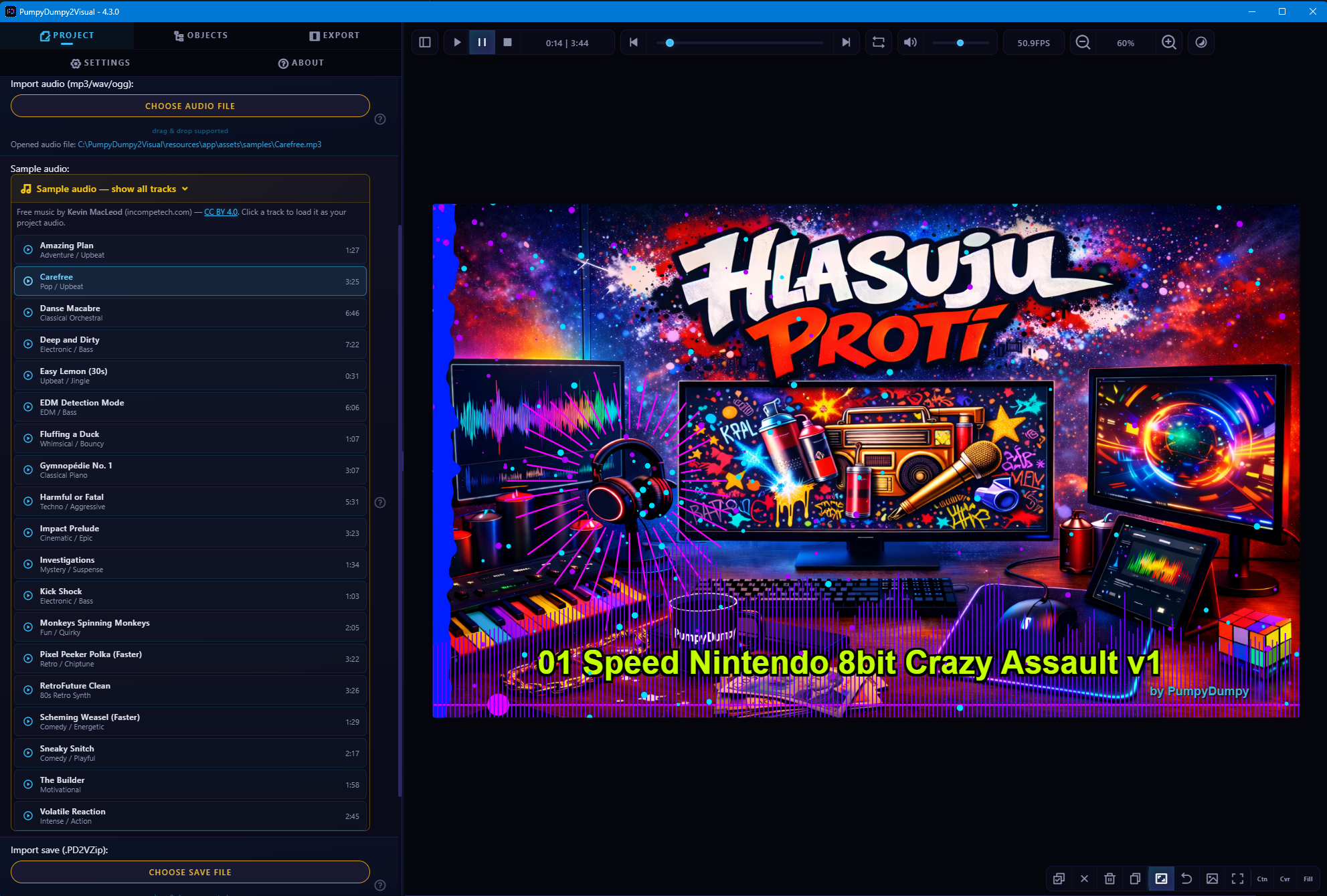
Import Your Audio

Drag and drop MP3, WAV, or OGG. Don't have a track yet? Pick from 19 bundled royalty-free songs — electronic, classical, cinematic, comedy, retro, and more.

Import audio into PumpyDumpy2Visual
2A

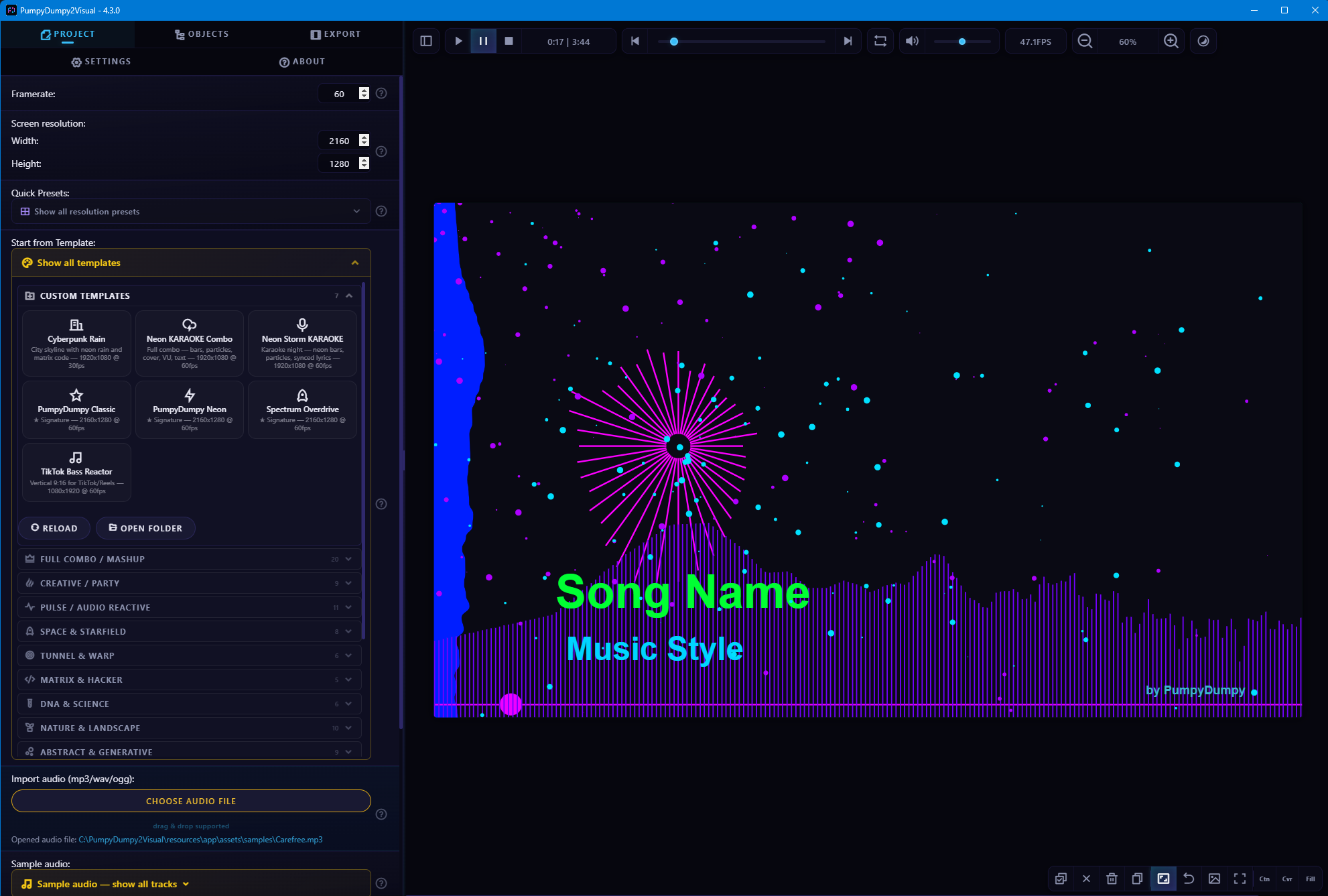
Pick a Template — or Build Your Own

Choose from 120+ professionally designed templates covering every style. Or compose your own scene from 60+ visual objects — all fully customizable with drag & drop.

Choose from 120+ templates
2B

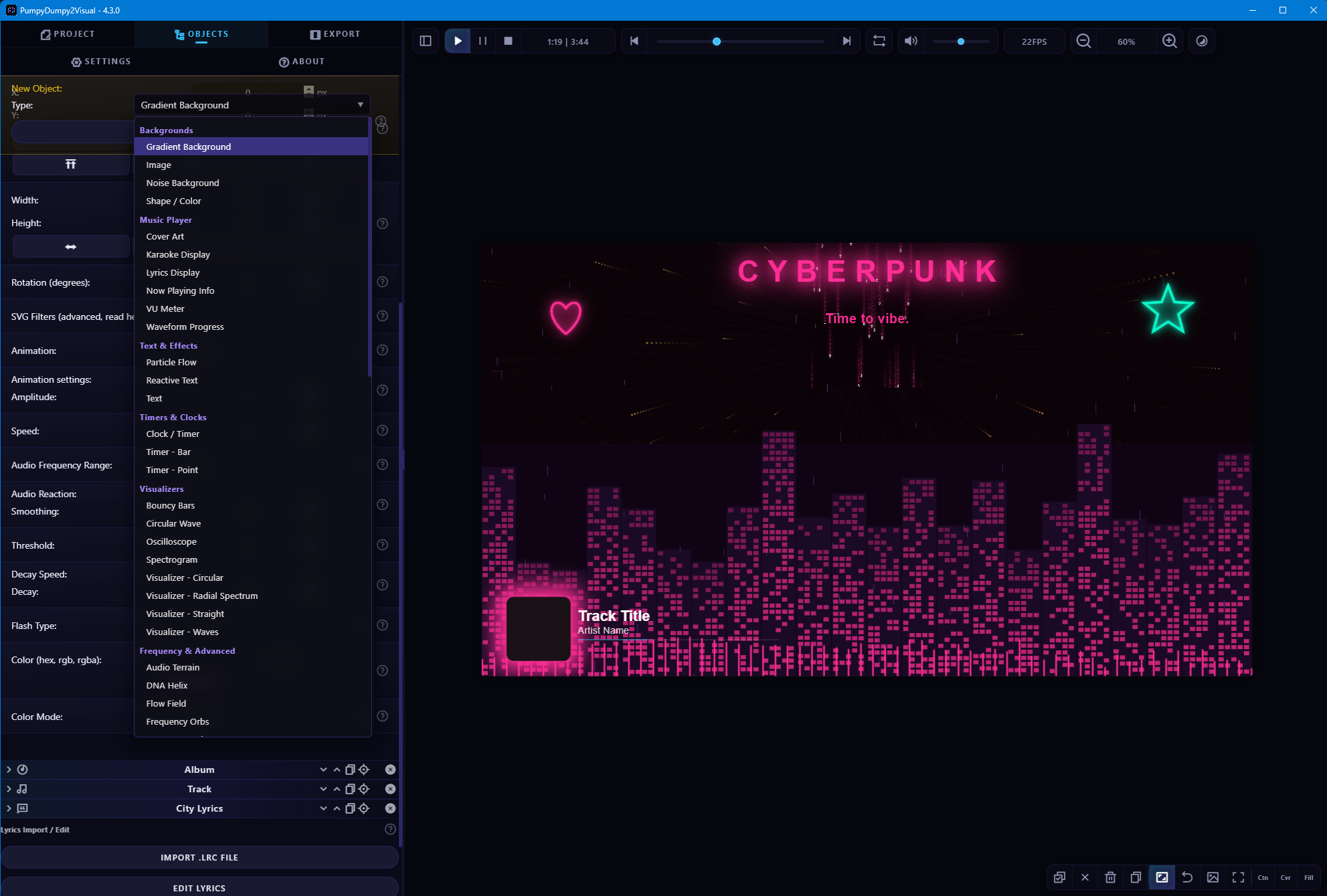
Visual Objects

60+ audio-reactive visual objects — frequency bars, circular spectrums, particle flows, aurora effects, matrix rain, and more. Every object reacts to your music automatically.

60+ visual objects
3

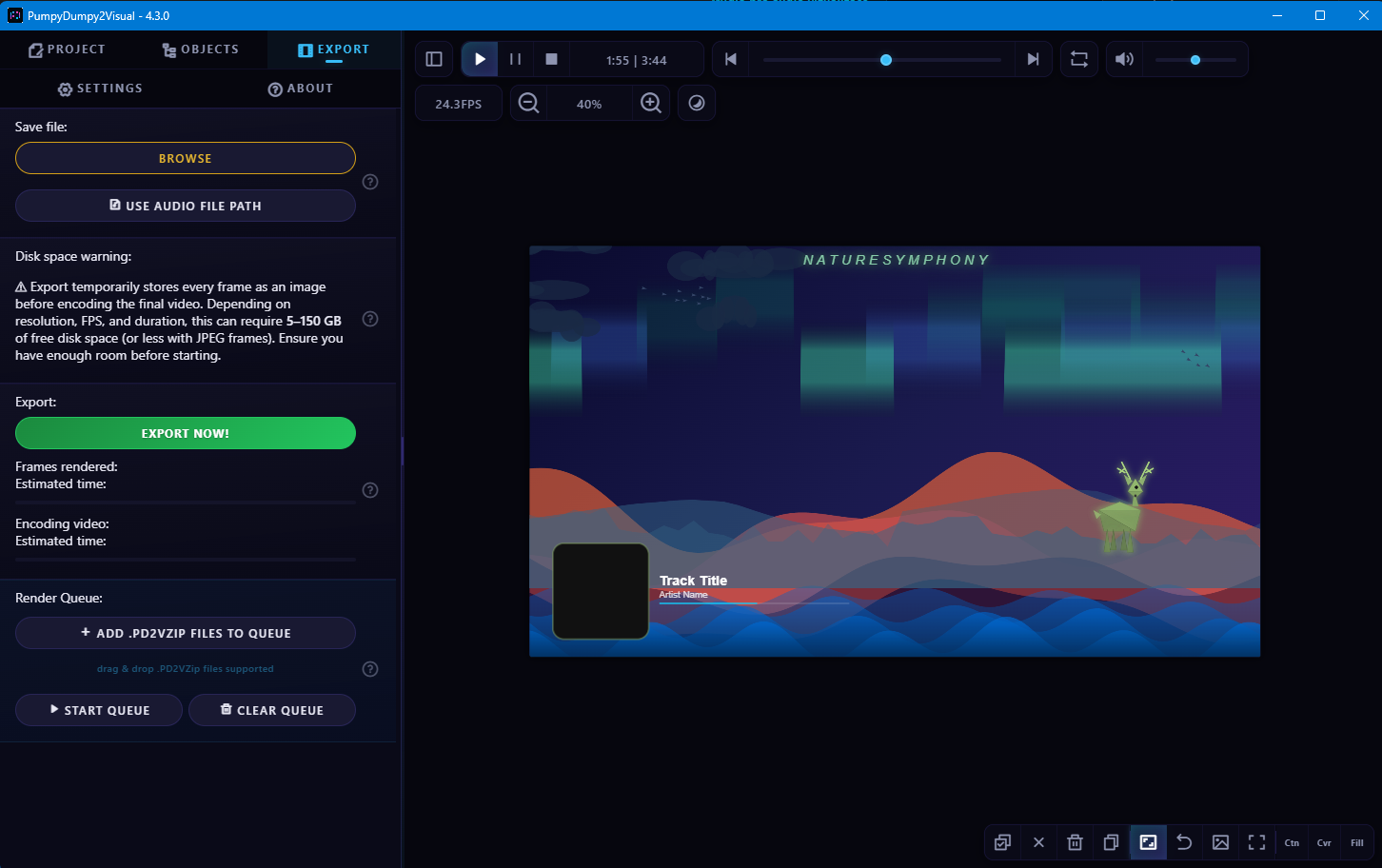
Export & Share

Hit export, pick your platform — YouTube, TikTok, Instagram Reels, Shorts — and get a ready-to-upload MP4. The beat detection engine syncs everything automatically.

Export for YouTube, TikTok, Instagram

120+ Templates. 60+ Objects. Unlimited Creativity.

From lo-fi chill to EDM festival. From minimal spectrum to matrix rain. Every aesthetic, covered.

Visualizers
Beat-Reactive
Volume-Reactive
Particles
Nature
Characters
Ambient
Backgrounds
Text & FX
Scene Objects
Physics & Fun
Advanced
View App Tour & Gallery

What Creators Say

"I used to spend 3 hours making a visualizer in After Effects. Now it takes me 10 minutes."

Beatmaker, YouTube creator

"I generate tracks with AI and needed a fast way to make videos. PumpyDumpy2Visual is exactly what I was looking for."

AI music creator

"The beat detection is surprisingly good. Everything syncs to my music perfectly without me touching a single keyframe."

Electronic music producer

"120 templates and I still ended up building my own — because the object library is so much fun to play with."

Content creator

"No subscription. No cloud. No data collection. Finally, software that respects both my wallet and my privacy."

Independent artist

"I run a lo-fi channel. With the batch render queue I can prepare a week's worth of videos in one sitting."

Lo-fi channel owner

"Imported my LRC lyrics, picked a karaoke template, and had a sing-along video ready in under 5 minutes. Insane."

Singer-songwriter

"My students love it. They can visualize their compositions without learning complex video software first."

Music teacher

"I dragged in my own artwork and GIFs and built something completely unique. This isn't just a visualizer — it's a creative tool."

Graphic designer

"Needed looping visuals for my DJ set. Aurora + starfield + beat flash = perfect backdrop, rendered in minutes."

DJ & live performer

"I turned my podcast into video content for YouTube. Waveform bar, cover art, VU meters — looks professional without effort."

Podcaster

"The 19 bundled sample tracks let me test everything before I even imported my own music. Great for learning the app."

Hobbyist, first-time user

Get PumpyDumpy2Visual

Full features in both editions. The only difference is the watermark.

Free

$0

Full features with watermark

  • More than 60 visual objects
  • More than 120 templates
  • Platform export presets
  • Up to 8K resolution
  • Beat detection engine
  • 19 royalty-free sample tracks
  • Batch render and CLI
  • Karaoke & Lyrics
  • Audio Mixer & 21 effects
  • Watermark on output
v4.3.5 Windows 10+ 64-bit
Recommended

Pro

$68 one-time

Everything, no watermark — forever

  • More than 60 visual objects
  • More than 120 templates
  • Platform export presets
  • Up to 8K resolution
  • Beat detection engine
  • 19 royalty-free sample tracks
  • Batch render and CLI
  • Karaoke & Lyrics
  • Audio Mixer & 21 effects
  • No watermark — clean, professional output
Get Pro — $68

One payment. No subscription. No hidden costs.

Secure checkout via Lemon Squeezy

Older Versions
View Changelog (Latest Releases)

Loading releases...

Why PumpyDumpy2Visual?

Feature PD2V After Effects Online Tools ZGameEditor
Purpose-built for music visualization Partial
Learning curve Minutes Months Hours Hours
Visual object types 60+ Unlimited (manual) 5–15 ~10
Templates 120+ Must buy 10–50 ~5
Beat detection Built-in Manual Partial Basic
Audio-reactive animations Automatic Manual keyframes Limited Basic
Built-in audio mixer & effects 21+
Platform export presets
Runs offline
Price Free / $68 $22/mo $15–30/mo FL Studio license
Data privacy

Frequently Asked Questions

The only difference is the watermark. Free includes a visible watermark on preview and exports. Pro removes it. All features — every object, template, export preset, and tool — are identical in both editions.

One-time. $68 once. No monthly subscription, no renewal fees, no hidden costs. Pay once, use forever.

100%. All output files are your property. No attribution to PumpyDumpy2Visual required. Use them commercially, post them anywhere.

No. PumpyDumpy2Visual runs 100% offline. The only network request is license validation for Pro users (via Lemon Squeezy). No telemetry, no analytics, no tracking. Your files never leave your computer.

MP3, WAV, and OGG Vorbis. You can also import LRC files for time-synced lyrics. Plus, 19 royalty-free sample tracks are bundled so you can start experimenting immediately.

All 19 sample tracks are by Kevin MacLeod (incompetech.com), licensed under Creative Commons: By Attribution 4.0. You can use them freely, but must credit the author if you publish output that uses them.

Yes! Drag and drop any PNG, JPG, or GIF directly into your project. Use them as backgrounds, overlays, or custom visual elements.

Yes! Connect any microphone or line-in device and visualize audio in real time — no audio file required. The app auto-detects plugged and unplugged devices on the fly.

21 effects across 5 categories: voice (pitch shift, robot, whisper), filters (telephone, radio, megaphone), modulation (chorus, flanger, tremolo, stutter), delay (echo, slapback, tape delay, multi-tap, ping pong), and space (reverb, vinyl). Plus 37 one-click presets like Chipmunk, Demon, Cathedral, and Vaporwave.

Yes! You can load a standard .lrc file, and the lyrics will automatically sync with your audio. There are also 9 ready-made templates specifically for Karaoke videos.

Yes, the Batch Render Queue allows you to queue up multiple videos (for example, for podcasts or lo-fi channels) and let them all render automatically, even overnight.

No. While a dedicated GPU speeds up rendering significantly for 4K and 8K, the application is highly optimized and runs smoothly even on standard integrated graphics.

You can export in any custom resolution, ranging from standard vertical sizes for mobile devices, all the way up to ultra-sharp 8K resolution.